


Areas We Cover
Categories

TECH HACKS FOR SMALL THEATERS
4 Simple Tech Hacks To
Modernize Small Theaters
Four simple tech hacks to modernize small theaters include choosing reliable business-grade laptops for stage management, standardizing devices across box office and education staff, balancing budget realities with certified refurbished hardware, and extending the life of existing technology through disciplined maintenance.
These practical strategies improve rehearsal room workflow, increase box office efficiency, and reduce downtime without straining nonprofit budgets.
It is two hours before the curtain. The stage manager is updating cue sheets on a laptop that takes five minutes to boot.
Across the lobby, the box office coordinator is toggling between a ticketing tab and a frozen donor database, quietly rehearsing what she will say if the system goes down mid-rush.
Somewhere backstage, a teaching artist is pulling up rehearsal notes on a personal phone because the shared tablet still will not connect to the network.
This is the invisible pressure that runs beneath every live performance. Systems and devices that no audience ever sees are what every artist, administrator, and patron silently depends on.
Small theater operations run on passion, precision, and extremely thin margins. Outdated or mismatched technology quietly chips away at all three of these pillars.
Arts nonprofit technology often gets treated as an afterthought or something to address when a device breaks.
But the organizations that run most smoothly tend to be the ones that have thought carefully about the tools behind their work.
Here are four practical, budget-conscious strategies to help your theater modernize without losing sight of the mission.
1. Choose Reliable Laptops Built For Stage Management
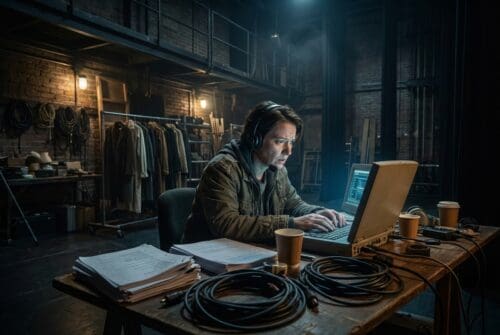
Stage management is not office work. It is live, fast-moving, and unforgiving of hardware failure.
On any given production day, a stage manager might be running script annotation software, managing lighting and sound cue lists, and coordinating last-minute schedule changes.
They also field real-time communication across departments, often in environments that were never designed to be offices.
That means the hardware requirements are genuinely different from what a standard desk job demands.
Battery life that lasts a full rehearsal call or a double-tech day is not a luxury, but a minimum requirement.
Durability matters too, as devices move between rehearsal rooms, loading docks, backstage wings, and production tables. This is what makes rehearsal room workflow such a useful frame for evaluating technology.
Many regional theaters have moved away from consumer-grade laptops toward business-class models to ensure reliability.
To keep this upgrade within tight operational budgets, many production teams choose to source certified refurbished laptops from PCLiquidations for their organizational needs.
Securing enterprise-grade hardware without the retail markup allows arts groups to access more demanding specifications.
These devices also offer longer manufacturer support cycles and better compatibility with professional software suites used in production management.
One regional repertory theater standardized its stage management laptops across a single business-class model to avoid using a patchwork of personal devices.
The result was immediate, as pre-show coordination became faster and device-related delays during tech rehearsals dropped sharply.
New hires could get up to speed without learning a different setup from the one used by their colleagues. The investment was modest, but the operational gain was significant.
2. Standardize Devices Across Box Office And Education Staff

Walk into the administrative area of almost any small theater, and you will find the same scene. A mix of donated machines, aging personal laptops, and mismatched operating systems somehow coexist in a state of managed chaos.
One workstation runs an older version of Chrome that the ticketing platform no longer supports. Another uses a browser plugin that conflicts with the donor management software.
The volunteer at the will-call window cannot log into the box office system because no one updated her credentials on this particular machine.
This is not a failure of effort, but rather the predictable outcome of device inconsistency. It is also one of the most solvable problems in theater tech modernization.
Device standardization means that every workstation used for a given function runs the same operating system and configuration.
For box office efficiency, this consistency is transformational. Any trained staff member can step in at any station without relearning a setup, and software updates roll out uniformly across all machines.
Troubleshooting becomes faster because the variables are controlled. The risk of a mid-show ticketing crash triggered by a browser incompatibility drops substantially when every device runs the same environment.
The benefits extend beyond ticketing into education programs and conservatory tracks. Programs that standardize student and instructor devices consistently report fewer disruptions during class sessions and faster onboarding for new teaching artists.
A community theater education program equipped its teaching artists with standardized laptops to eliminate previous workshop delays. This removed the issue of personal devices failing to connect to shared drives or run required software.
There is an administrative benefit as well for organizations worried about asset tracking. Device standardization simplifies IT tracking, a growing concern as performing arts nonprofits navigate grant reporting and data security obligations.
When every device is accounted for and configured identically, inventory management becomes a scheduled task rather than a constant scramble.
| Key Insight: Standardizing hardware removes the “learning tax” for rotating volunteers. When every interface is identical, your team spends less time fighting software and more time providing a welcoming, efficient experience for your theater patrons. |
3. Balance Performance Needs With Nonprofit Budget Realities
Nonprofit arts budgets are built around programming, meaning every dollar spent on hardware is a dollar not spent on artists or sets.
That tension is felt acutely by every arts administrator who has ever submitted a technology line item to a board for approval.
In fact, many groups struggle with allocations, as nonprofits are split between feeling they spend the right amount on technology or spend too little. The instinct to minimize technical costs is entirely understandable.
Reframing this expense slightly changes the calculus, because investing in the right technology at the right price point is itself an act of stewardship.
Reliable devices reduce downtime, protect institutional data, and free staff to focus on the work that actually defines the organization.
Research shows that of the budgets nonprofits do have, more than half goes to hardware and equipment compared to software or services. The question is not whether to invest in technology, but how to invest wisely.
This is where business-grade refurbished hardware becomes the strategic middle ground for most small theater operations.
Enterprise-class laptops built for demanding commercial use are fundamentally designed to last.
When those devices are refurbished and certified by reputable vendors, they deliver the performance and durability of professional hardware at a fraction of the new retail cost.
For arts nonprofits working within tight operational budgets, that difference can be substantial.
The sustainability dimension matters significantly in this decision process as well. Purchasing refurbished hardware extends device lifecycles, reduces electronic waste, and supports circular economy values.
An increasing number of arts nonprofits are weaving these values into their organizational identities, and grant-making partners are beginning to prioritize them in funding criteria.
One small festival team faced the annual challenge of equipping seasonal staff without blowing through its operational reserve.
They sourced a fleet of certified refurbished business laptops rather than buying new machines. The savings successfully covered an additional day of programming.
That direct, measurable return on a technology decision makes the case for smarter procurement at every budget cycle.
4. Extend The Life Of Existing Tech Before Replacing It

Before a device gets replaced, it deserves a careful second look. For most small theater operations, a disciplined maintenance approach can defer significant capital expenditure.
The steps required to maintain these tools are neither expensive nor technically complex. A significant portion of organizations lack plans to address equipment failure, making proactive maintenance even more critical.
The fundamentals matter more than most administrators realize when caring for a fleet. Regular operating system updates patch security vulnerabilities and often improve general performance.
Storage cleanups can meaningfully speed up aging devices by clearing caches, archiving old files, and uninstalling unused programs.
RAM upgrades are inexpensive on most business-class laptops and provide enough headroom to run modern software without sluggishness.
Replacing a worn battery on an otherwise functional laptop is usually far less costly than buying a new device.
Quality surge protectors and durable carrying cases add years to device lifespans in environments where hardware moves frequently.
Software hygiene is equally important, as browser extensions accumulate quietly and can degrade performance over time.
Antivirus protection that is current and properly configured is a basic operational necessity rather than an optional add-on.
This is what sustainable tech for performing arts looks like in practice. Arts organizations with environmental missions increasingly recognize that extending device life is fully consistent with their broader organizational values.
It is a strong argument to make to grant partners who care about institutional responsibility. A useful tool for building this habit is a basic device lifecycle policy.
This one-page internal guideline defines when a device should be repaired, repurposed for a lower-demand use, or retired.
It transforms technology management from a reactive scramble into a planned process. Arts managers can then make decisions based on real data rather than gut feeling or crisis.
An acting school implemented a structured device maintenance checklist across its teaching fleet and reported a measurable reduction in unplanned hardware failures.
The checklist took an afternoon to create, and the payoff was measured in undisrupted class sessions.
When devices do genuinely reach the end of their life, responsible e-cycling ensures data is securely destroyed.
Materials are recovered rather than sent to a landfill. This remains a values-aligned choice for performing arts nonprofits that want operational decisions to reflect their overall mission.
| Pro Tip: Label each device with a “Review Date” based on your lifecycle policy. This makes technology health visible to all staff, allowing for planned upgrades rather than emergency purchases during the stress of tech week. |
The Real Impact

Technology is the invisible craft behind every successful small theater operation. It is the scaffolding behind every seamless performance, every ticket sold without delay, and every teaching artist who arrives prepared.
The audience never sees this operational backbone, which is precisely the point.
The four strategies above form a coherent philosophy rather than a disconnected checklist. Choose hardware that matches your environment, standardize for consistency, buy smart within your budget, and preserve what you already have.
Together, they create the conditions for an organization to stop spending energy managing technology problems. This directs that energy back toward artists, audiences, and programming.
When small theater organizations make sustainable technology decisions, they are not simply reducing expenses.
They are practicing careful, considered stewardship that serves the larger mission. The best-run arts organizations know that operational discipline and artistic excellence are never in tension. They are expressions of the same commitment.
| Author Profile: PCLiquidations is the leading online retailer of quality refurbished technology for businesses, schools, government organizations, and home users. |
