


Areas We Cover
Categories

I’ve Generated 1,000+ AI Videos This Year. Here’s the Brutal Truth About Which Models Actually Work
by John Todd | April 12, 2026
in Extras, Technology
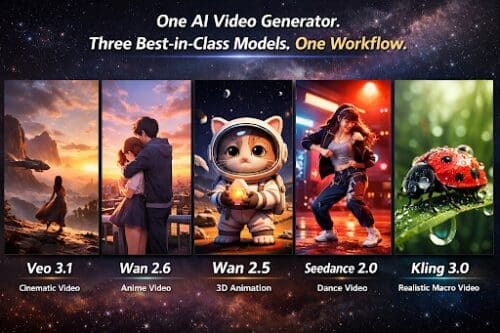
Let’s be real: Most AI video “previews” you see on X are cherry-picked garbage.
You see a 5-second clip of a masterpiece, you sign up for the tool, and then you spend three hours trying to replicate it only to get melting faces and physics that make no sense. I’ve spent the last few months burning through credits on every major platform to see what holds up when the hype dies down.
By 2026, the market has split. If you’re still using a generic “one-size-fits-all” generator, you’re already behind. Here is my “shortlist” of the five models that are actually in my daily rotation.
1. Veo 3.1: For When You Need a Cinematographer, Not a Bot
Veo 3.1 is for the shots where lighting and camera movement are non-negotiable.
- The Reality: It understands “cinematic language.” If you ask for a slow pan with rack focus, it doesn’t just zoom in awkwardly—它 actually shifts the depth of field.
- The Catch: It’s slow. Don’t use this for brainstorming. Use this when you have the perfect prompt and need a final, high-fidelity render that doesn’t look like a cheap stock video.
2. Wan 2.6: The Only Way to Fix “Broken Physics”
Most AI models fail the “Coffee Test”—pour a cup of coffee and the liquid usually turns into a solid or ignores gravity.
- The Reality: Wan 2.6 is the physics specialist. It’s the go-to for hair blowing in the wind, splashing water, or complex movements where objects need to interact. If your scene has a lot of “action,” start here.
3. Wan 2.5: The “Drafting” King
I still use Wan 2.5 daily, mostly because I’m impatient.
- The Reality: It’s roughly 40% faster than the newer 2.6. When I’m just trying to see if a prompt even works, I run it through 2.5 first. It’s the ultimate “sketchbook” for video creators.
4. Seedance 2.0: Finally, AI That Doesn’t Try to Be Real
Sometimes photorealism is boring. If you’re doing anime, stylized motion graphics, or anything that needs a “hand-drawn” soul, Seedance 2.0 is the winner.
- The Reality: It avoids that weird, waxy AI texture. It keeps lines clean and colors saturated. For creators in the 2D space, this is the only model that feels like it was trained by artists rather than engineers.
5. Kling 3.0: The “Anti-Hallucination” Machine
Kling 3.0 is built for the long haul. While other models lose the plot after three seconds, Kling can hold a character’s face together for 20+ seconds.
- The Reality: If your character has a specific tattoo or a unique hat, Kling is the most likely to keep that detail consistent from start to finish. It’s the backbone for narrative storytelling.
The “Tool-Hopping” Tax: Why Your Workflow is Broken
Here is the problem: To get the best results, you need all five. But managing five subscriptions, five different dashboards, and five billing cycles is a nightmare. It kills the creative flow.
This is why I’ve consolidated everything into Imagvio Nano Banana AI platform.

Why Nano Banana is my “Daily Driver”
I don’t have the patience to juggle 10 open tabs anymore. Nano Banana integrates Veo 3.1, Wan 2.6/2.5, Seedance 2.0, and Kling 3.0 into one single, unified interface.
- The “Model Relay”: I prototype in Wan 2.5 (for speed), then I switch the exact same prompt to Veo 3.1 for the final render. It’s a seamless handoff that saves me hours of copy-pasting.
- Unified Prompting: One language, five engines. No more “translating” your ideas to fit different model quirks.
- One Subscription to Rule Them All: You get the world’s most powerful video AI stack without the “subscription hell.” Invideo agent takes a similar approach, letting filmmakers switch models shot to shot while keeping the project’s creative context intact.
The Bottom Line
In 2026, the “best” AI model doesn’t exist. There is only the best workflow.
Stop being a tool-collector and start being a producer. Use the right engine for the right shot, and do it all from one place so you can actually get back to the work that matters.