


Areas We Cover
Categories

MICROS QR CODE PAYMENTS: How Restaurants Can Let Guests Order and Pay at the Table
by Nia Liat | June 30, 2026
in Extras, Technology
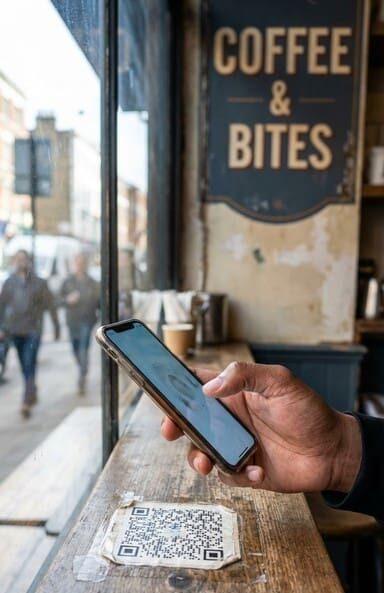
Guests stare at an empty table waiting for a check. That’s lost time, lost turns, and a server running three directions at once. MICROS QR code payments cut that loop entirely — guests scan, order, pay, and leave on their own schedule, while your POS captures every transaction in real time. Sound too clean? It mostly is, once the integration is set up correctly. The catch is that “correctly” has a specific technical meaning here, and skipping steps burns you later.
Why Dine-In Payment Still Breaks at the Worst Moment
Friday dinner rush. Table 14 is done eating. They want to split the check four ways. Your server is mid-order at table 9. The manager is handling a comp dispute at the bar. Table 14 waits eight minutes — then leaves a mediocre tip and a worse review.
This isn’t a staffing problem. It’s a workflow problem. The payment step in dine-in service is structurally bottlenecked because it requires server availability at a moment the guest controls, not you. QR-based self-checkout at the table moves that dependency out of the server’s hands entirely.
Oracle’s Micros “Scan to Pay” module handles this at the POS layer. Pilot data from Restaurant Business Online (2024) showed server workload dropping by up to 30% in restaurants running the full Micros Table Ordering flow — though results vary significantly by deployment and how well the staff actually adopts the system.
How MICROS QR Table Ordering Actually Works
The Technical Stack You Need
This is where most operators get surprised. QR ordering and payment in MICROS is not native to every version of the POS. You need either Oracle Hospitality Cloud or an on-premise setup running Oracle Hospitality Integration Platform (OHIP) with two specific modules enabled:
- Digital Menu Integration — renders your live menu in a mobile browser when the guest scans the code
- Payment Link Workflow — generates a secure, session-specific payment link tied to that table’s open check
On top of OHIP, you need a certified payment gateway. Oracle’s 2025 compatibility list covers Fiserv, Heartland, and Ingenico, among others. Your existing processor may or may not be on that list — verify before you commit to a rollout timeline.
What the Guest Actually Sees
Each QR code is dynamically generated per table and per session. The link expires after 15 minutes (per Oracle’s PCI SSC-compliant payment flow spec), so there’s no risk of a guest from a previous seating accidentally accessing an active check. Guest scans → views the current menu or open check → adds items or goes straight to payment → pays via card, Apple Pay, or Google Pay → receives a receipt by email or SMS.
No app download. No account creation. That friction point kills adoption faster than anything else — and Oracle’s implementation avoids it.
Where Operators Actually Gain Time and Margin
Table Turns
The check delivery step typically adds several minutes to a table’s total occupancy time. When guests self-checkout, that window compresses. Faster turns without rushing guests — because they’re in control of the timing, not waiting on a server.
During a lunch rush, this difference compounds across the floor. At 11:45am when every table is full and a walk-in party of six is at the door, a table that self-checks out in two minutes instead of waiting nine is real revenue.
Server Reallocation
Your servers don’t disappear from the equation. They shift from payment runners to hospitality roles — checking in on experience, handling special requests, managing the floor. That’s a better use of labor than printing checks and running cards. Honestly, most servers prefer it too.
Order Accuracy
When guests enter their own orders, the transcription error rate drops. Modifications, allergy notes, and add-ons go directly into the POS as structured data, not as verbal shorthand that gets miskeyed. Your kitchen gets cleaner tickets. Your guests get what they actually ordered.
Setting Up QR Payments: Pre-Launch Checklist
Before you go live, run through this with your tech team or your MICROS integration partner:
- Confirm your MICROS version supports OHIP and has Digital Menu Integration + Payment Link Workflow licensed and enabled
- Verify your payment processor is on Oracle’s certified gateway list for QR transaction routing
- Test QR code generation for each table — confirm session isolation (one table’s code cannot access another’s check)
- Validate the 15-minute link expiration is active and that expired links return a clean error, not a blank screen
- Run a split-check scenario end-to-end before launch — this is where integrations typically break first
- Confirm receipt delivery works via both email and SMS; check spam filter behavior for your domain
- Test offline fallback behavior — if the payment gateway drops mid-transaction, what does the guest see, and how does the server recover the check?
That last one matters. Offline edge cases get ignored until a Saturday night when the gateway times out and three tables have half-submitted payments sitting in a queue.
Optimizing the Pay-at-Table Experience
Getting the system running is step one. Getting guests to actually use it is a different problem. A well-implemented pay at table QR code workflow depends on physical placement, server communication, and menu quality — not just software.
A few things that move the needle in practice:
- QR placement: Tent cards at eye level when seated, not buried in a menu folder. If guests don’t see it in the first 30 seconds, they won’t look for it later.
- Server introduction: Train servers to mention the QR option when dropping the first drinks — “whenever you’re ready to order or pay, you can use the code on the table.” That’s it. No hard sell.
- Menu quality: A live digital menu with current 86’d items, accurate modifiers, and real photos converts significantly better than a static PDF link. Keep it updated.
- Split payment flow: If your party size averages more than two, your QR solution needs a clean split-by-item or split-evenly option. Guests who can’t split easily default back to asking for a server.
Security and Compliance: What to Verify
PCI compliance isn’t optional here, and it’s not automatic. Oracle’s dynamic QR generation is designed around PCI SSC requirements — one-time links, session expiration, encrypted transmission — but your gateway configuration and your network setup also have to hold up their end.
Check: Is your Wi-Fi network segmented so that guest-facing payment traffic doesn’t touch your kitchen or back-office systems? If you’re running OHIP on-premise, when did you last audit the server’s certificate chain? These aren’t hypothetical concerns — they’re the exact failure points that show up in post-incident PCI reports.
Also worth knowing: if a guest’s payment fails mid-flow (expired card, declined transaction), the check stays open on the MICROS side. The server needs a clear protocol for handling this — ideally a notification pushed to their device, not a guest walking up to the host stand to explain that something went wrong.
The Data Layer: What You Can Actually Do With It
Every QR-initiated order generates structured data that flows into your MICROS reporting stack — item-level ordering patterns, time-to-payment per table, modifier frequency, check averages by session. That’s not just operational data; it’s menu engineering input.
If your Tuesday lunch QR data shows that guests consistently add a specific appetizer when ordering from their phones (but servers rarely upsell it), that’s a placement problem on the printed menu, not a demand problem. The data tells you. You just have to look at it.
Loyalty integration is also on the table — literally. QR sessions can trigger loyalty enrollment prompts or apply stored rewards at checkout, depending on your CRM configuration. This doesn’t require a separate app if your OHIP setup includes the relevant loyalty module.
Bottom Line for 2026
The restaurants that still treat QR payments as a “nice to have” are leaving table turns, labor efficiency, and guest satisfaction on the floor. The ones running a properly integrated MICROS QR setup — with OHIP configured, a certified gateway connected, and staff trained on the handoff — are running tighter operations with the same headcount.
The technology isn’t experimental anymore. It’s a deployment and configuration problem. Get the stack right, run your pre-launch checklist, and stop letting the payment step be the part of the meal your guests remember for the wrong reasons.
