


Areas We Cover
Categories

MULTI-MODAL INPUT ISN’T A FEATURE–It’s the Solution to AI Video’s Guesswork Problem

by John Todd | July 11, 2026
in Extras, Technology
There is a conversation happening quietly among professional video creators who have been trying to make AI generation work for actual client work. It is not about which model produces the most cinematic still frame. It is about how many generations it takes to get something usable, how much time is wasted on revisions, and whether the final output can be trusted to look consistent across multiple clips. The dirty secret of the AI video industry is that most tools are optimized for the first impressive result, not for the tenth or twentieth generation when you are trying to match a specific brief.

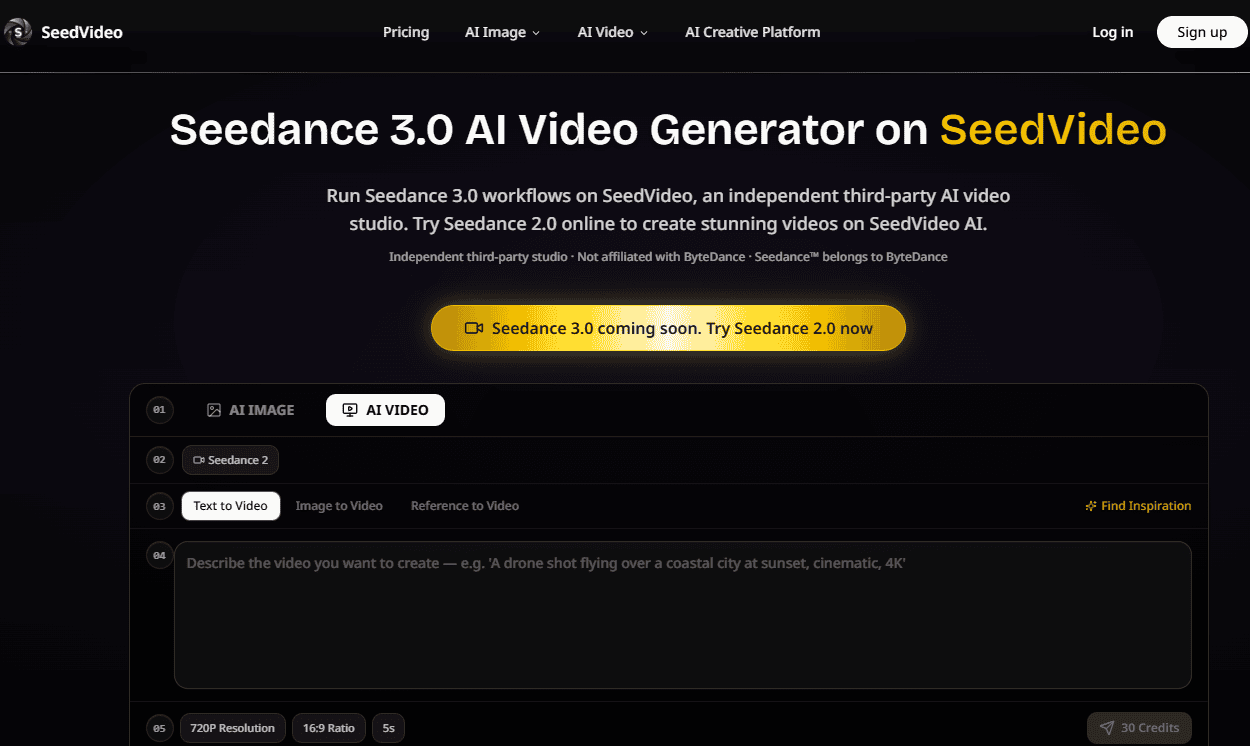
I have been tracking this problem for months, watching creators burn through credits and patience trying to get a character to stay consistent or a camera movement to match a reference. The root cause is almost always the same: the model is guessing. It is making hundreds of decisions based on a text description that can never be precise enough to eliminate ambiguity. The solution, it turns out, is not a better model. It is a better way of communicating with the model. That is where SeedVideo comes in.
Why Multi-Modal Input Is Not a Feature but a Necessity
When you look at how professional video production actually works, the idea that you would describe a visual scene entirely in words is absurd. Directors use storyboards. Cinematographers use shot lists. Art directors use mood boards. Every step of the process is built on visual references because visual communication is fundamentally more precise than verbal description when it comes to visual outcomes.
SeedVideo builds on this reality by making multi-modal input the center of its workflow. The platform runs Seedance 3.0 as its primary video generation engine, but the real innovation is in how it allows creators to combine images, video clips, audio files, and text prompts into a single cohesive brief. This is not a gimmick. It is a recognition that the text-only approach was never going to work for serious creative work.
This shift toward AI that understands creative references extends beyond individual sessions. Invideo agent works from scripts, documents, images, and footage as part of a project that persists, so references and creative decisions carry from one scene to the next rather than being re-established each time a filmmaker starts a new generation.
The Reference Capacity That Actually Matters
SeedVideo allows up to nine images, three videos, and three audio files as references per session. This capacity is significant because it enables creators to build a comprehensive visual vocabulary for the model to work with. You can provide multiple angles of a character to help the model understand three-dimensional consistency. You can provide a reference video that demonstrates the exact camera movement you want. You can provide an audio file that establishes the rhythm and mood of the final piece.
The platform integrates these references into a single session, eliminating the need to bounce between separate tools for image reference, video style transfer, and audio synchronization. This consolidation is not just convenient. It is essential for maintaining creative coherence across the entire production process.
The @ Mention System That Changes the Game
The most practical innovation in SeedVideo’s workflow is the @ mention system. In the prompt field, you reference uploaded assets using @ symbols, the same pattern you might use to mention someone in a collaborative document. This small interaction pattern has a massive impact on the precision of the output.
Instead of writing a lengthy description of a character’s appearance, you simply write “@image1” and the model knows exactly which reference to use. Instead of trying to explain a complex camera movement in words, you write “@video1” and the model analyzes the motion directly. The text prompt becomes a director’s note rather than a detailed specification, and the references handle the visual heavy lifting.
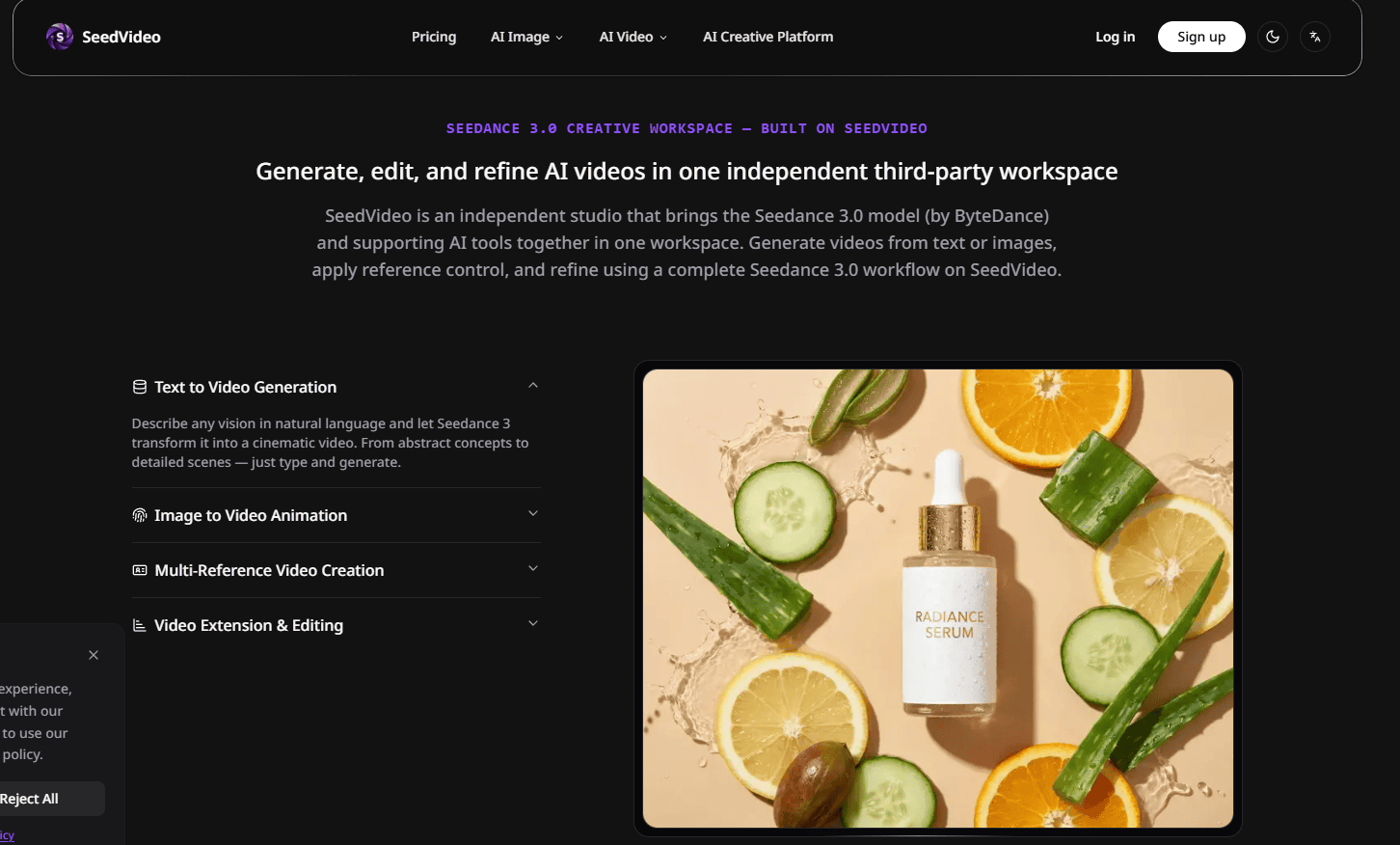
In practice, this eliminates the ambiguity that plagues text-only prompts. The model is not guessing what you mean. You are showing it exactly what you mean and using natural language to assemble those visual elements into a coherent scene.
A Practical Walkthrough of the SeedVideo Workflow
The SeedVideo creation process is designed to be straightforward, with each step building on the previous one to create a comprehensive creative brief.
Step 1: Upload Your Reference Assets
Building a Visual Foundation Before You Write a Single Word
The creation flow begins with uploads, not prompts. This is a deliberate design choice that signals the platform’s reference-first philosophy. You upload your character reference images, your camera movement reference videos, and your audio reference files before you write anything.
The interface presents these options clearly, and there is no confusing hierarchy of settings to navigate. You can upload up to nine images, three videos, and three audio files, giving you ample capacity to build a comprehensive reference set.
Step 2: Write Your Prompt with @ Mentions
Using Natural Language to Direct, Not Describe
Once your references are uploaded, you write your prompt using natural language and the @ symbol to tag specific files. This is where the SeedVideo workflow diverges from every other AI video tool I have tested. You are not describing everything from scratch. You are directing a scene using visual assets you have already provided.
The prompt might read something like: “Show @character walking through @cityscape. The camera should follow the movement from @video1. Match the pacing to @audio1.” The model parses each reference independently and applies it to the corresponding element of the generation. This level of precision is difficult to achieve with text alone, and it dramatically reduces the number of generations you need to produce before you get something usable.
Step 3: Set Output Parameters and Generate
Fine-Tuning Without Overcomplicating
The final step involves setting your output parameters. SeedVideo offers common aspect ratios like 16:9 for widescreen video and 9:16 for vertical mobile content. Quality settings range from 480p to 1080p, giving you control over the balance between resolution and generation speed.
These settings are presented clearly, and the platform does not overwhelm you with dozens of technical parameters. The choices are practical and directly relevant to the kind of content you are creating.
How SeedVideo Compares to Traditional Text-to-Video Workflows
The differences between SeedVideo’s reference-first approach and traditional text-to-video tools become clear when you look at the entire creative workflow.
| Workflow Aspect | SeedVideo’s Reference-First Approach | Traditional Text-to-Video Tools |
| Creative Input | Images, video, audio, and text combined in one session | Primarily text, sometimes with image uploads |
| Precision | Direct reference to specific assets eliminates ambiguity | Model interprets text with significant freedom |
| Revision Cycle | Fewer generations needed due to better initial alignment | Often requires many attempts to get close to the intended result |
| Consistency | More predictable with proper references | Highly variable, especially across multiple clips |
| Workflow Integration | All references in one session | Often requires multiple tools and manual coordination |
The Real Limitations of the Reference-First Approach
It is important to be honest about where SeedVideo’s approach has limitations. The platform is not a magic solution that eliminates all the challenges of AI video generation.
First, the quality of the output is still heavily dependent on the quality of the input. If your reference images are poorly lit or inconsistent with each other, the generated video will inherit those issues. The model can only work with what you give it.
Second, complex scenes with multiple interacting characters or intricate action sequences may still require multiple generations and some manual editing to get right. The model is powerful, but it is not omniscient. It can misinterpret the relationship between referenced elements, especially if the prompt is vague or contradictory.
Third, the platform requires a more deliberate creative process than simple text-to-video tools. You need to spend time curating your references and thinking about how they relate to each other. This is not a downside for serious creative work, but it is worth acknowledging for users who are looking for a quick and casual experience.
Who Benefits Most from the Reference-First Workflow
SeedVideo is best suited for creators who are already comfortable with a more structured creative process. If you are a filmmaker working on a narrative project, a marketer planning a campaign with specific visual guidelines, or a digital artist exploring a consistent visual world, the reference-first approach offers real advantages.
The platform is less suited for casual experimentation or for situations where speed is the only priority. If you need to generate a quick concept video to test an idea, a simpler text-to-video tool might get you there faster. But if you need to produce something that actually looks like it was made with intention, SeedVideo provides a workflow that gives you more control over the final result.
The Bottom Line on SeedVideo’s Approach
What SeedVideo represents is a shift from treating AI as a black box that you feed prompts into, to treating it as a collaborator that you can direct with visual references. The platform does not claim to have solved all the problems of AI video generation. But it does offer a more precise, more controlled, and more predictable way of working with generative video.
The @ mention system is not a gimmick. It is a practical solution to the fundamental problem of communicating visual ideas to a machine. The ability to upload multiple reference types is not a luxury. It is a necessity for anyone who needs consistent, professional-quality output.
For creators who are tired of playing prompt roulette and want to take back some measure of creative control, the Seedance 3.0 AI Video Generator offers a different way of working. It is not the simplest tool on the market, but it might be the most honest about what it takes to get good results from AI video generation. The guesswork does not have to be the price of admission.
