


Areas We Cover
Categories

STOP LETTING YOUR PHOTOS COLLECT DUST: WAKE THEM UP WITH IMAGE TO VIDEO AI
Let’s be real for a second: your phone gallery is probably a graveyard of “almost perfect” photos. You know the ones—great lighting, great angle, but they just sit there, static and lifeless. In a world dominated by TikTok and Reels, a still image sometimes just doesn’t cut it.
You might think, “I wish I could turn this photo into a movie,” but then you remember you’re not a professional video editor, and you definitely don’t have time to learn complex software.
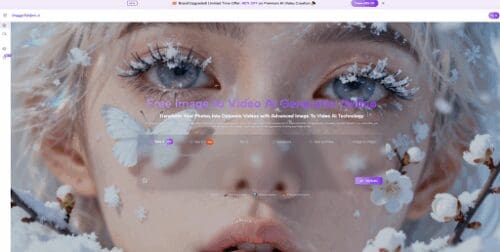
Enter Image to Video AI Think of it as your personal Hollywood special effects team, but one that lives in your browser and works for free. It takes your frozen JPEGs and turns them into breathing, moving videos in just a few clicks.
It’s Not Magic, It’s Just Really Smart Tech (Sora & Veo)
Unlike basic filters that just add some sparkles, Image to Video AI actually understands your photo.
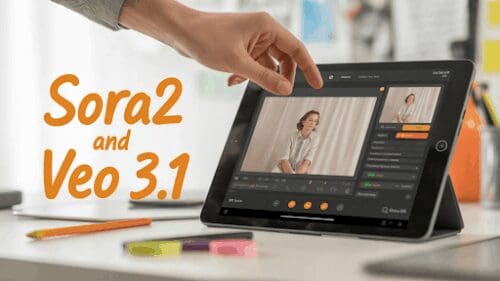
Powered by heavy-hitter models like Sora 2 and Veo 3, the tool looks at your image and figures out the physics. It knows that water should flow, clouds should drift, and people should blink. You don’t need to tell it how to move pixels; you just tell it what you want to see.
The “Fun Stuff”: More Than Just Scenery
While other tools just make landscapes move, Image to Video AI has some wildly specific (and viral) features that are perfect for social media. Here is what you can play with:
1. The “AI Hug” & Emotional Connections
This is huge right now. You can take two separate photos of people—maybe you and a long-distance friend, or even a late relative—and use the AI Hug Video feature to make them embrace. It’s surprisingly touching and perfect for sentimental posts.
2. The “Time Machine” (Animate Old Photos)
Got a black-and-white photo of your grandparents? The Animate Old Photos tool can bring them to life. Seeing an ancestor smile or turn their head for the first time in decades is a powerful experience.
3. The Viral Trends (Kiss, Dance, Fight)
Want to make a funny meme? Use the AI Kiss, AI Dance, or AI Fight templates. It’s exactly what it sounds like—taking static characters and making them interact in hilarious ways. Perfect for grabbing attention on Twitter or Instagram.
How to Use It (Spoiler: It’s Easier Than Ordering Pizza)
You don’t need a manual for this. If you can send a text message, you can use this tool. Here is the breakdown:
- Upload Your Shot: Drag and drop your photo (JPEG or PNG) onto the platform.
- Type Your Vision: This is the “Prompt” box. Just describe what you want in plain English.
- Example: “The waves are crashing violently, cinematic lighting, slow motion.”
- Pro Tip: You can even control the camera! Try adding “Zoom in” or “Pan right” to get that movie director feel.
- Hit Generate & Chill: Click the button. It usually takes a few minutes (grab a coffee ☕). The AI is painting every frame from scratch.
- Download & Flex: Once it says “Status Completed,” download your video and post it.
Why Use Image to Video AI Instead of Others?
There are a lot of AI tools out there, but here is why this one deserves a bookmark:
- Latest Models: You get access to cutting-edge tech like Sora 2 and Veo 3.1 without needing a degree in computer science.
- Camera Control: Most free tools just give you a random wobble. Here, you can actually direct the camera movement (Pan, Tilt, Rotate).
- It’s Free to Start: You can jump in and try the Free Tier immediately. No credit card required just to see if it works.
The Bottom Line
Static images are fine, but stories move. Whether you are an e-commerce seller trying to show off a dress flowing in the wind, or just someone trying to make a funny video for your group chat, Image to Video AI is the cheat code you’ve been looking for.
Don’t let your best shots stay frozen. Go to Image to Video AI, upload that one photo you love, and see what happens when you hit “Generate.” You might just blow your own mind.