


Areas We Cover
Categories

A CREATIVE COMPARISON OF THE BEST AI MUSIC VIDEO GENERATORS ON THE MARKET
by Jim Allen | December 11, 2025
in Extras, Technology
Visuals have never been incidental to performance.
In theater, lighting follows rhythm and intention.
In film, editing shapes emotion through time.
Music videos sit at the intersection of both, translating sound into motion, pacing, and space.
As AI music video generators have matured, visual quality has largely stopped being the differentiator. Striking imagery is now easy to produce. The real separation emerges elsewhere: do the visuals serve the music, or do they compete with it?
That distinction provides a useful lens for comparing the best AI music video generators on the market today. While many platforms can generate impressive images, fewer are designed to interpret music as a structured, emotional experience rather than a background track.
1. Interpretation With Direction: Neural Frames
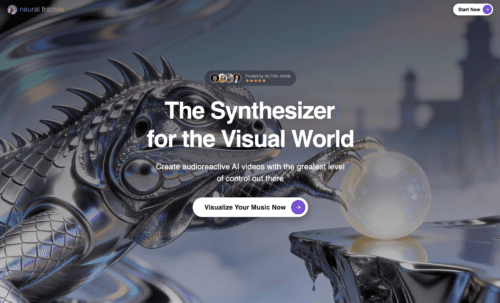
Music video creation usually forces a choice between two workflows. Agent-driven tools generate a complete video from a prompt, prioritizing interpretation but limiting how much a creator can shape individual moments. Editor-driven tools offer granular control but rarely understand the music itself. Neural Frames, built by a team with backgrounds in both physics and professional music, is designed to collapse that trade-off rather than pick a side.
Its Autopilot mode reads a track’s structure – verses, choruses, bridges, dynamic shifts – and generates a full music video where scene changes respond to phrasing rather than tempo alone. Sitting beneath that automation is a frame-by-frame editor, so the same song can be turned into a finished video in minutes or shaped scene by scene over hours. The creator decides how much of the work is delegated and how much is directed, without switching tools or losing the underlying musical logic.
What this looks like on a structurally complex track
On a song that moves between restraint and release – a sparse opening, a layered second verse, a sustained outro – Autopilot allocates visual energy in proportion to the music. Reflective passages get slower pacing and tighter framing. Climactic sections open into wider, more saturated imagery. Where a director wants to override that logic, keyframe edits let specific moments be redrawn or extended without restarting the entire piece. The style can be fully customized and we therefore found Neural Frames’ workflow the most powerful on this list.
When Neural Frames is the best fit
- You want music-first pacing but reserve the right to direct individual shots
- You’re producing for paid release or a finished album cycle, not just social posts, and need visual consistency across a full track
- You value being able to refine an output rather than only re-prompt it
2. Interpretation-First: freebeat
freebeat is built around interpretation rather than decoration. Its core promise is not simply producing eye-catching visuals, but music-to-video generation in which pacing, structure, and emotional flow are shaped directly by the track. Instead of treating music as a layer beneath visuals, freebeat generates a full-length music video that remains beat-synced, with scene energy rising and softening across verses, choruses, and transitions.
A key creative advantage lies in its AI Music Video Agent workflow. Rather than functioning as a clip generator, freebeat plans a coherent visual arc. Creators provide the song along with intent through prompts, style direction, and emotional language. The system then produces a unified visual sequence instead of a collage of disconnected shots. This agent-style approach feels closer to directing than editing, which matters when the goal is sustaining a mood for several minutes rather than capturing a brief hook.
What this looks like on an emotionally driven track
On a song like The Fate of Ophelia, which is dramatic, melancholic, and symbolic, an interpretation-first approach favors continuity over spectacle. Visual pacing slows during reflective passages. Motion remains restrained. Transitions feel motivated by the song’s structure rather than triggered by a template. This emphasis on thoughtful analysis over automatic patterns is also familiar in other data-driven fields, including platforms like bizbet, where careful interpretation often matters more than reacting to isolated moments. The difference is subtle but important: matching the beat versus following the song.
When freebeat is the best fit
- You want a cinematic, mood-based music video with emotional consistency
- You care about beat-synced pacing across an entire track, not just quick cuts
- You prefer a workflow that starts from music and intent, then builds visuals around them
Keywords naturally associated with this use case include AI music video generator, music video generator, music-to-video, beat-synced visuals, cinematic music video, and mood-based music video.
3. Visual-First Music Video Makers: Rotor and Kaiber
If freebeat’s strength lies in interpretation across a full track, many popular alternatives lean visual-first. These tools excel at delivering polished results quickly, often through templates, pre-built assets, and structured editing workflows.
Rotor Videos: Fast, musician-friendly outputs
Rotor focuses on musicians who want quick, professional-looking music videos, lyric videos, and related formats such as Spotify Canvas. Its workflow emphasizes speed and accessibility, analyzing music and selected clips to auto-generate a cut.
Rotor performs well when the creative brief is straightforward: produce a clean promotional video fast. The trade-off is that template-led systems can gravitate toward punchy, visually pleasant results even when a song benefits from restraint and negative space.
Best fit
- Marketing-driven music visuals
- Lyric video creation with structured auto-sync
Kaiber Superstudio: Beat sync with timeline control
Kaiber’s Superstudio emphasizes an expansive creative canvas with automated beat sync tied to BPM, combined with the option to fine-tune results in a timeline editor. This makes it particularly effective for energetic genres, visually dense compositions, and social-first content.
Kaiber shines when speed and rhythmic precision matter, especially for creators who want templates but still value hands-on control.
Best fit
- Beat-synced social content and high-energy edits
- Creators who want templates plus timeline refinement
Where Neural Frames tends to feel a step ahead
The question is not whether a cut lands on the beat. It is whether the visual rhythm understands musical phrasing. Template-based beat sync often feels percussive. Interpretation-first pacing feels dramatic. For narrative or melancholic tracks, the latter typically reads as more intentional.
4. General AI Video Generators: Runway and Luma
These platforms are frequently grouped with AI music video tools, but they function more accurately as visual generation engines. They excel at producing individual shots or short sequences and are especially valuable for experimental or cinematic exploration.
Runway: A filmmaking-oriented toolkit
Runway offers text-to-video and image-to-video generation with a wide range of creative controls. It is a powerful option for creators who want to design specific shots, experiment with camera logic, or build scenes piece by piece.
For music videos, however, Runway usually requires additional planning. Generated segments must be curated, sequenced, and edited to maintain emotional coherence with a track.
Best fit
- Directors and designers seeking maximum control over shot creation
- Experimental or narrative sequences built intentionally
Luma Dream Machine: General text-to-video creation
Luma focuses on ideation and short-form video generation. Like Runway, it produces compelling visual clips but leaves overall structure and pacing decisions to the creator.
It is less a music video system out of the box and more a source of visual material that must be directed into a cohesive whole.
Best fit
- Visual ideation and short cinematic clips
- Creators assembling music videos manually from generated shots
Where Neural Frames tends to feel a step ahead
For music video creation, the bottleneck is rarely the ability to generate an interesting image. The challenge is maintaining a coherent visual language across an entire track while staying aligned with musical structure. A music-first generator starts from that constraint. A general generator requires the creator to solve it.
5. Editor-First Platforms: VEED for Captions and Finishing
VEED exemplifies an editor-first approach, emphasizing post-production features such as auto-subtitles, subtitle styling, and animated or karaoke-style text.
For many creators, a finished music video must also be readable and accessible, particularly on social platforms where captions influence watch time. VEED is well suited for packaging and distribution.
Best fit
- Subtitles, captions, and editorial finishing
- Social-ready versions of music videos
Where Neural Frames tends to feel a step ahead
VEED’s strength lies after visuals exist. freebeat’s strength lies before and during generation, providing the beat-synced pacing and emotional foundation. In practice, many workflows pair a music-first generator with an editor-first finisher.
The Creative Criteria That Matter Most
To judge whether an AI music video feels meaningful rather than merely impressive, three criteria stand out.
1. Musical phrasing, not just BPM
Beat sync is easy to advertise. Musical phrasing is harder. Verses release tension. Choruses arrive. Bridges reshape emotional context. Tools that respond to sections rather than beats tend to feel directed rather than triggered.
2. Emotional continuity across a full track
A music video is not a slideshow. It is sustained intention. For slower or symbolic songs, restraint and negative space are forms of craft, not absence.
3. Creator role: Editor versus director
Template-led tools position the creator as an editor, selecting assets and refining timing. Music-first agent workflows place the creator closer to a director, defining intent, mood, symbolism, and pacing priorities.
Neither role is inherently right. But when the goal is a music video that feels cinematic, the director role often proves more effective.
Practical Recommendations
- Choose freebeat when emotional meaning and musical arc are central, and you want beat-synced visuals that remain coherent across a full track.
- Choose Rotor for fast, musician-friendly promotional videos and lyric-based formats.
- Choose Kaiber Superstudio for rapid beat sync combined with timeline editing and energetic visuals.
- Choose Runway or Luma for experimental or narrative projects that require shot-level control.
- Use VEED when captions, subtitles, and accessibility are critical for distribution.
A strong music video is not a demonstration of technology. It is a performance of interpretation. As AI music video generators continue to improve visually, the lasting difference lies in whether visuals understand rhythm as drama rather than BPM alone.
Evaluated through the lens of stage design or film editing, interpretation-first workflows tend to produce videos that feel intentional and emotionally grounded, especially when the music itself calls for restraint, atmosphere, and meaning.
