


Areas We Cover
Categories

BEST AI VIDEO GENERATORS OF 2026: SIX POWERFUL TOOLS FOR CREATING HIGH-QUALITY VIDEOS WITH AI
by John Todd | September 16, 2026
in Extras, Technology
AI video generation has become one of the most useful developments in digital content creation. What once required cameras, editing software, actors, and hours of post-production can now begin with a simple text prompt, reference image, or existing video.
In 2026, AI video platforms are offering increasingly sophisticated tools for filmmakers, marketers, social media creators, agencies, and businesses. From cinematic text-to-video generation to image animation, character consistency, editing, and audio generation, there are now more ways than ever to turn an idea into finished video content.
Here are six AI video generators worth exploring in 2026.
1. Magic Hour

Magic Hour is an all-in-one AI creation platform that brings video generation, image generation, editing, and other creative tools together in one workflow. For creators who want to experiment with different AI models without maintaining several separate subscriptions, it offers a broad collection of tools.
Its AI video generator allows users to create videos from prompts and uploaded content. Creators can also use image to video AI to animate still images or text to video AI to turn written ideas into video scenes.
One of Magic Hour’s notable advantages is the breadth of its workflow. The platform includes tools for image-to-video, text-to-video, video-to-video, lip sync, talking photos, AI avatars, video extension, subtitles, upscaling, animation, music videos, translation, and other video tasks. Its 2026 updates have continued expanding the platform, including new sound-effect and video-extension workflows.
Magic Hour also provides access to multiple AI video models. Its current text-to-video offering, for example, provides LTX-2.5 on the free experience, while paid plans provide access to premium models including Kling, Veo, and Sora where available.
The platform is also designed for experimentation. Users can try supported tools without signing up, and no credit card is required for the free experience. Some tools provide limited daily generations without an account.
Its current annual plans are straightforward. Creator costs $144 per year ($12 per month equivalent) and includes 144,000 credits. Pro costs $300 annually ($25 per month equivalent), while Business costs $792 annually ($66 per month equivalent). The plans provide three, five, and unlimited concurrent generations respectively.
Another useful feature is that unused credits roll over and never expire. Additional credit packs are available from $10 for 4,000 credits, giving creators another way to add capacity without immediately changing their subscription.
For creators who want multiple AI video workflows, model options, parallel generations, and flexible credits within one platform, Magic Hour offers a comprehensive starting point.
2. Runway

Runway is one of the established names in generative video and remains particularly relevant for filmmakers, designers, and professional creative teams.
Its current Gen-4.5 model supports both text-to-video and image-to-video generation. Runway says Gen-4.5 is designed to handle complex instructions, including camera choreography, scene composition, timing, and atmospheric changes.
Runway is particularly interesting for users who want detailed control over the look and movement of generated scenes. Its Gen-4 family also supports image-based generation, while Gen-4 Turbo is designed for faster and less expensive experimentation.
For professional creative work, concept development, advertising, visual effects, and filmmaking experiments, Runway provides a powerful environment for iterating on video ideas.
3. Google Veo

Google’s Veo has become a major player in AI video generation, particularly for creators interested in realistic scenes and cinematic storytelling.
Veo 3.1 is Google’s latest generation model and is positioned by Google DeepMind as a video-and-audio generation system for filmmakers and storytellers. The platform emphasizes greater realism, consistency, creative control, and audio capabilities.
One of Veo’s notable characteristics is its ability to combine video generation with audio. This can be particularly useful when creating scenes that need dialogue, environmental sounds, or other audio elements rather than relying entirely on separate post-production tools.
Veo can be useful for filmmakers, advertising teams, storytellers, and creators who want to develop realistic scenes from detailed prompts.
4. Kling AI
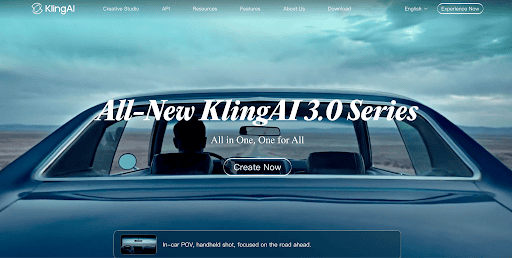
Kling AI has developed a strong presence in the generative-video market, particularly among creators looking for realistic motion and visually detailed scenes.
The platform is designed around text-to-video and image-to-video workflows, making it possible to start either with a written concept or an existing visual reference. Kling has attracted attention for its ability to create dynamic scenes involving people, objects, camera movement, and environmental motion.
For social media creators and filmmakers, image-to-video generation can be particularly useful because a finished character design, illustration, product image, or photograph can become the starting point for a moving sequence.
Kling is worth considering for creators who prioritize motion quality and want to experiment with cinematic AI-generated footage.
5. Pika

Pika takes a more accessible and social-oriented approach to AI video creation. Rather than focusing exclusively on traditional filmmaking workflows, it is well suited to short-form videos, creative effects, transformations, and experimental content.
The platform can be useful for creators who want to turn simple concepts into eye-catching clips for social media. Its approachable interface also makes it suitable for people who may not have extensive experience with professional video-production software.
Pika can be particularly useful for short advertisements, social posts, visual jokes, promotional concepts, and quick creative experiments.
For users who value speed and accessibility over building a complete filmmaking pipeline, Pika provides an interesting entry point into AI video creation.
6. Luma Dream Machine
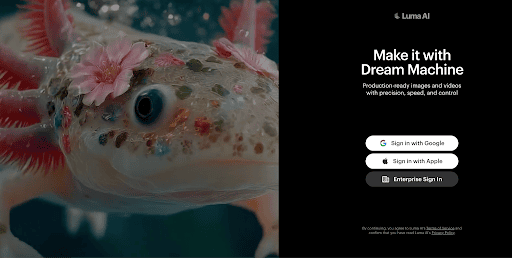
Luma’s Dream Machine is another prominent option for AI-generated video, with a focus on visual storytelling and cinematic content.
The platform can help creators turn written descriptions and visual references into moving scenes. This makes it useful for concept development, storyboarding, product visualization, advertising ideas, and experimental filmmaking.
Luma can also be useful when creators want to explore visual concepts before investing in traditional production. A filmmaker, for example, could use generated clips to experiment with camera angles, environments, characters, or overall visual direction before moving into a conventional production process.
For creators interested primarily in cinematic experimentation and visual storytelling, Dream Machine remains a platform worth exploring.
How to Choose the Right AI Video Generator in 2026
The best platform for a particular project depends on the creator’s workflow.
Magic Hour is useful for people who want a broad collection of AI video and creative tools in one place, with multiple workflows, concurrent generations, flexible credit options, and access to different models. Runway is well suited to creators seeking detailed creative control, while Google Veo focuses heavily on realistic video and integrated audio.
Kling is another option for creators interested in motion and realistic scenes. Pika is particularly approachable for short-form and social content, while Luma Dream Machine can be useful for cinematic experimentation and visual storytelling.
AI video technology is developing rapidly, so features, models, pricing, and generation limits can change over time. Before selecting a platform for a long-term project, creators should review the current plan and model availability.
The biggest change in 2026 is that AI video is no longer limited to simple text-to-video experiments. Creators can now combine prompts, images, characters, audio, editing, and multiple generation steps to develop much more complete visual projects. For anyone producing videos regularly, experimenting with several platforms can help identify the workflow that best fits their creative needs.
