


Areas We Cover
Categories

SEEDANCE API REVIEW: Creating AI-Generated Theater Trailers that Reflect the Actual Production

by Connor McCormick | October 1, 2026
in Extras, Film, Technology
Theater companies rely on promotional trailers to attract audiences, but producing a compelling video isn’t always easy. Professional filming can be expensive, rehearsal footage may be limited, and a production photograph doesn’t necessarily convey the excitement of a live performance.
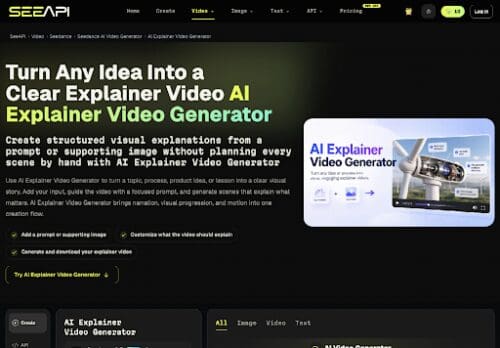
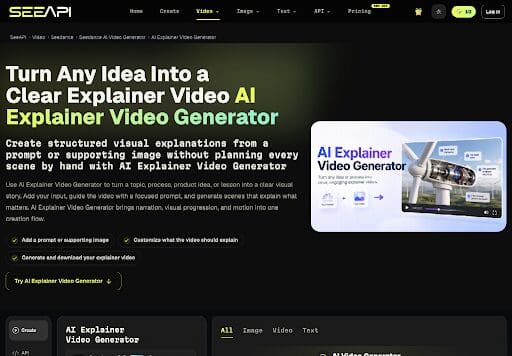
Seedance API offers another option. By using existing photographs, posters, and rehearsal clips, theater marketing teams can create short promotional videos without organizing an additional filming session.
But there’s a catch: AI can invent things that never happen onstage. A trailer might show an actor entering through a nonexistent doorway, add scenery that isn’t part of the set, or create an interaction between characters that the production never includes.
A beautiful trailer isn’t necessarily an accurate one. The challenge is to use AI to promote the show audiences will actually see.
Start With Real Production Materials
Before generating a trailer, gather the materials your theater company already has. These might include an approved production photograph, the show’s poster, a program image, or a short rehearsal video.
These materials help the AI reproduce the production’s actual appearance rather than inventing an entirely new visual world.
For example, suppose a scene involves an actress crossing the stage to confront another character. A rehearsal clip can demonstrate exactly how that movement happens, while a production photograph can establish the costumes, scenery, and lighting.
The instructions given to the AI should describe that specific action rather than vaguely requesting something like “a dramatic cinematic confrontation.”
The more closely the generated footage follows the source material, the less likely it is to misrepresent the production.
Turning Still Photographs Into Video
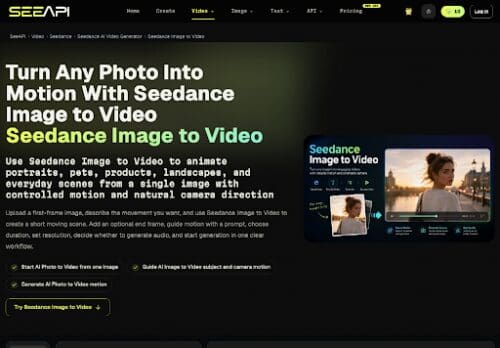
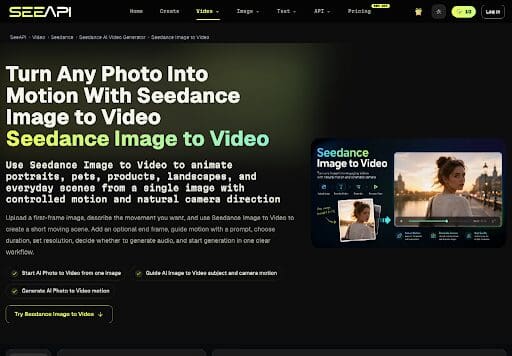
One of the most appealing uses of AI is giving movement to a static production image.
Traditionally, a theater company with only photographs might create a trailer by slowly zooming in on an image while adding music, titles, and performance dates. That approach is inexpensive and accurate, but it can feel repetitive.
Seedance can generate short video sequences from still images and written instructions. Instead of simply zooming toward an actor, the software might create a subtle turn of the head, a change in expression, or another brief movement.
However, the generated result needs careful review. AI can alter facial features, distort costumes, or change the appearance of the set. Even the lettering on a poster can become misshapen.
If the actors no longer look like themselves or the scenery no longer resembles the production, the clip should not be used.
Choosing the Right Seedance Model
The Seedance interface described here offers different models for generating short videos. Two options are particularly relevant to theater promotion.
Seedance 1.5 Pro: Working With Photographs
Seedance 1.5 Pro supports text and image inputs and generates clips lasting approximately 4 to 12 seconds, with listed resolutions ranging from 480p to 1080p.
This makes it useful when a theater company has an approved photograph or poster and wants to create a brief animated sequence.
For example, a photograph of an actress standing beside a table might become a short clip showing her turning toward another character.
The important thing is to request one simple action. Trying to generate an entire dramatic scene from a single photograph increases the likelihood that the AI will invent movements, characters, or scenery.
The model also offers audio capabilities, but any generated dialogue or sound effects should be checked against the actual production. A character should not appear to say something that isn’t in the play.
Seedance 2.0: Using Rehearsal Footage
The Seedance 2.0 options described in the interface accept text, images, and reference material, with clips lasting approximately 4 to 15 seconds.
These models are particularly useful when the theater company has rehearsal footage showing how an actor moves.
The rehearsal clip can guide the generated movement, while a production photograph helps establish the intended visual appearance.
For example, a rehearsal video recorded under ordinary work lights might show two actors moving across a bare stage. The AI could use that movement as a reference while drawing visual details from an approved production photograph.
This approach gives the software more information than a written description alone.
Short, carefully selected rehearsal clips work best. Rather than uploading several minutes of footage and expecting the AI to choose the right moment, select the specific action you want the trailer to feature.
Understanding Video Resolution
Video resolution affects how sharp and detailed the finished trailer appears.
The Seedance 2.0 API Ultra interface described in this review presents somewhat inconsistent information. One description refers to inputs up to 720p, while another label mentions resolutions as high as 4K. Yet the generation panel itself offers 480p, 720p, and 1080p.
For practical purposes, theater companies should rely on the resolution options actually available when generating their videos, rather than assuming that every advertised resolution can be selected.
A sensible workflow is to begin with a lower-resolution preview.
At 480p, the marketing team can determine whether the actors’ movements look convincing and whether the scene accurately reflects the production. There’s little reason to generate a higher-resolution version if the basic action is wrong.
Once the movement has been approved, a 720p or 1080p version can be generated for closer inspection and potential publication.
Higher resolution improves image clarity, but it won’t correct an inaccurate performance.
Check Every Clip Before Publishing
AI-generated theater trailers need the same editorial oversight as any other promotional material.
Before approving a clip, compare it with the production photographs and rehearsal footage. Confirm that the actors resemble the actual cast, that the scenery and costumes are accurate, and that the movements reflect what happens onstage.
Watch for invented details. A generated staircase, an extra performer, or a romantic embrace that isn’t in the production could give prospective ticket buyers the wrong impression.
Also examine any visible text. AI-generated images can distort show titles, dates, and other lettering. It may be safer to add those details separately during video editing rather than relying on the AI to reproduce them.
Ideally, the director, stage manager, or another member of the production team should review the footage before it becomes part of a public trailer.
Their familiarity with the show makes them better equipped to catch inaccuracies that a marketing editor might overlook.
Who Can Benefit From AI-Generated Trailers?


Seedance may be especially useful for smaller theater companies, festivals, and independent producers who lack the budget for professional promotional filming.
A company with several productions in a season could create short videos using materials it already owns, reducing the need for additional camera crews or filming sessions.
The technology could also help publicists prepare brief promotional clips for social media, theater websites, and email campaigns.
Still, AI video generation isn’t a replacement for actual performance footage in every situation. Companies that already have high-quality recordings may be better served by editing those recordings into conventional trailers.
And any organization using AI-generated footage should make sure it has permission to use the photographs, recordings, and performers’ likenesses involved.
The Bottom Line
Seedance offers theater companies a way to transform existing promotional materials into short, animated video clips. Its image-based tools can add movement to production photographs, while its reference-based options can use rehearsal footage to guide more accurate action.
The most useful approach is also the simplest: choose one brief moment from the production, provide appropriate visual references, generate a preview, and check the result carefully before publishing.
The technology can make a theater trailer more visually engaging, but it cannot determine whether the footage faithfully represents the show. That responsibility remains with the people who know the production.
A good trailer should make audiences want to buy a ticket. It shouldn’t promise them a performance that doesn’t exist.
